

How to Link Driving License (DL) with DigiLocker?
25 May,2026
Updated:30 September,2026
0 min read

share


Copied
 2667
2667This blog shares the steps to link a driving license to DigiLocker.
If you’re a responsible and careful driver, chances are less that you’ll be pulled over by a traffic police at a random signal. However, you cannot deny the possibilities. Such situations can become instantly stressful if you’re caught without a valid driver’s license and other key car documents.
The best way to prepare for such instances is always to carry a digital copy of your driving license that’s legally acceptable for verification. It’s precisely what DigiLocker helps you with. Discover how you can link your Driving License (DL) with DigiLocker in this blog.
What is DigiLocker?
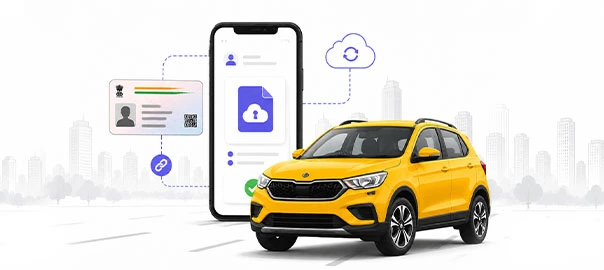
Although it’s not new, many car owners still don’t know what DigiLocker is. It’s a government-backed digital document storage platform launched by the country’s Ministry of Electronics & IT (MeitY). You can use it to securely store, access, and share important documents using a mobile app.
To clarify, you cannot manually upload your driving license to DigiLocker. The platform will automatically fetch it from the government database after you finish the verification process. Once the document is fetched, it will be automatically saved to your DigiLocker account for future use.
What are The Benefits of DigiLocker?
Using DigiLocker can help you experience the following benefits –
Easy Access to Key Documents
DigiLocker is designed to ensure smooth access and sharing of your important documents. Even if you’ve forgotten to carry your original document, you can use the digital copies stored in DigiLocker for verification. It can significantly help you during traffic checks or emergencies without any difficulty.
Reduced Risk of Losing Original Documents
The fear of losing, misplacing, and damaging original documents is real, and many car owners have it. If you share similar concerns, then using DigiLocker can help you navigate it.
You can use this platform to share digital copies of key documents during inspections, as they’re legally acceptable. It eliminates the need to carry physical documents.
Better Document Organisation
DigiLocker is a blessing for people who own multiple vehicles. It helps them simplify their document storage and management. Since the platform has well-defined sections for different types of documents, you will never struggle to find the right document when needed.
How Does DigiLocker Work?
Before you link your driving license to DigiLocker, you should understand how the platform works to ensure smooth operation. The following three steps will give you a clear understanding of how DigiLocker works –
- You create a DigiLocker account using your mobile and Aadhaar number
- The platform fetches all government-issued documents from relevant authorities
- You can view and store it for future use
How to Add a Driving License in the DigiLocker App?
If you’re wondering how to add your Driving License (DL) in the DigiLocker app, you must follow the step-by-step instructions shared below.
1. Create a DigiLocker Account
If you haven’t used a DigiLocker account before, you should first download it. Then use your mobile number to create a DigiLocker account. Aadhaar-linked verification is necessary for account creation, so ensure you have your Aadhaar number handy.
2. Find the ‘Issued Documents’ Section
Locate the ‘Issued Documents’ section inside the dashboard. If you cannot find it, you can also look for the ‘Search Documents’ section.
3. Search for the Transportation Department
Use the above search option to find the ‘Ministry of Road Transport and Highways’ or other state-relevant department. It will display a list of available documents within the platform. You should select the driving license option and proceed.
4. Enter Your Driving License Details
Enter your driving license number correctly. The details you’re entering must match the information in the official transport department records. It will help you prevent verification delays and errors during the process.
5. Fetch and Add the Driving License
This is the last step to add your driving license to DigiLocker. After you’ve successfully submitted and verified all the details, DigiLocker will fetch your driving license directly from the transport department’s database. It will then be automatically added to your DigiLocker account. You can use it at any time, from any place, for paperless verification.
How does a Digital Copy of Your Driving License Help?
Whether you’re using the downloaded soft copy or a direct DigiLocker Driving License (DL) link for instant document access, it can help you in the following ways –
Makes Traffic Checks More Convenient
One of the biggest benefits of DigiLocker documents is the convenience they provide during traffic inspections. If any traffic police personnel asks you to show your driving license, RC, or any other important document, you won’t have to sift through your cabin’s dashboard or physical folder in a hurry. Instead, you can show them the stored documents in your DigiLocker account. It will facilitate a quick, hassle-free verification.
Reduces Dependence on Physical Documents
With DigiLocker, you don’t have to carry your original documents physically. It’s particularly beneficial for people who avoid carrying original documents out of fear of accidental loss. People with a habit of forgetting documents at home can also benefit from it.
Simplifies Document Management
As a car owner, you have multiple documents to manage. We’re talking about documents, such as the car’s RC, driving license, and insurance papers. If you usually struggle with managing multiple documents, DigiLocker can help you simplify the process. Since it has dedicated sections for different document categories, you can neatly organise and store different documents under the right document categories. It will ensure you don’t find it difficult to find the right document at the right time.
Understanding DigiLocker for Your Documents
DigiLocker is more than just a storage platform for keeping digital documents on your phone. It’s a reliable, government-authorised platform designed to help users securely access and manage key documents.
While you can use it to store your driving license and RC securely, this platform is designed to store more types of documents across the following categories –
- Identity documents
- Transport & Infrastructure
- Education & Learning
- Government & Public Sector
- Health & Wellness
- Banking, Financial Services, and Insurance
- Industry & Private Sector
Since all documents in the above categories are directly linked with authorised government databases, they’re generally considered more reliable and credible.
Is Your Digital Driving License Truly Valid?
Yes, a digital driving license is valid if it’s fetched directly from government records in the DigiLocker app.
The provisions in the Information Technology Act, 2000 , have placed the digital driving license and the car’s registration certificate stored in the DigiLocker app at par with original, physical documents.
However, randomly stored digital photocopies (the ones you’ve manually uploaded) on your phone won’t be considered valid during traffic checks or other inspections.
How to Upload a Vehicle’s Registration Certificate (RC) in DigiLocker?
Uploading your car’s RC in DigiLocker requires the same steps you followed to link your driving license to DigiLocker. Start by opening the DigiLocker app and then follow the step-by-step process shared below–
- Sign in to your DigiLocker account and find the ‘issued documents’ section
- Navigate and click on the transport department
- A list of available documents will appear
- Choose vehicle registration certificate (RC)
- Enter your vehicle details carefully and submit
Once you’ve followed all the steps, DigiLocker will instantly fetch your RC from the official government database. As you click to view it, the platform will automatically store it in your DigiLocker account.
How to Download a Driving License from DigiLocker?
If you have already linked your DigiLocker account to your driving license, then follow these steps -
- Log into the DigiLocker account and head to the platform’s ‘Issued Documents’ section.
- Locate the driving license, and open it for instant access.
- Open the document and click on the ‘download’ or ‘save’ option. You’ll easily find these options in the app’s interface for quick download.
Conclusion
Linking your driving license to DigiLocker is one of the best things you can do as a car owner. It will ensure you always have a verifiable, legally acceptable driving license stored on your phone.
We’ve covered the step-by-step process in this full guide on how to link a driving license to DigiLocker, so every car owner can follow it. If you want added protection for your car, primarily financial protection, ensure it’s covered under a Comprehensive Car Insurance from Shriram General Insurance.
FAQs
1. Can I only store a driving license in DigiLocker?
No, you can use it to secure all government-issued documents, such as a PAN card, vehicle RC, and more.
2. Is DigiLocker safe to store crucial documents?
Yes. DigiLocker is a secure, government-backed platform so you don’t have to worry about your document’s safe storage.
3. Will traffic police accept a digital copy of my driving license stored in DigiLocker?
Yes, they will. The IT provisions give electronic records on the DigiLocker app the same legal acceptance as original documents.
4. Is DigiLocker free to use, or is it paid?
DigiLocker is 100% free to use.
5. Do I need an Aadhaar card number to create a DigiLocker account?
Yes, Aadhaar-linked verification is mandatory to create a valid DigiLocker account.